Stop Your Phone from Overheating While Charging: 10 Proven Tips That Actually Work
⭐ Featured Snippet
To prevent your phone from overheating while charging, use a certified fast charger, avoid heavy usage during charging, remove the case, and keep the device in a cool environment. Overheating is often caused by poor-quality chargers, high power draw, or restricted airflow, and can reduce battery lifespan over time.
Introduction
You plug in your phone… and within minutes, it starts to feel warm.
Sometimes even uncomfortably hot.
Sound familiar?
Overheating during charging is one of the most common issues users face today—especially with fast charging becoming the norm.
But here’s the truth:
👉 Most overheating problems are preventable.
And even better:
👉 Fixing them can extend your battery life significantly.
Let’s break down the real causes—and the smartest solutions.
Why Phones Overheat While Charging
Before fixing the problem, it’s important to understand what’s happening.
Your phone generates heat when:
• power is converted inside the battery
• fast charging increases current flow
• background apps consume energy
Using inefficient accessories—like low-quality chargers or cables—can make things worse.
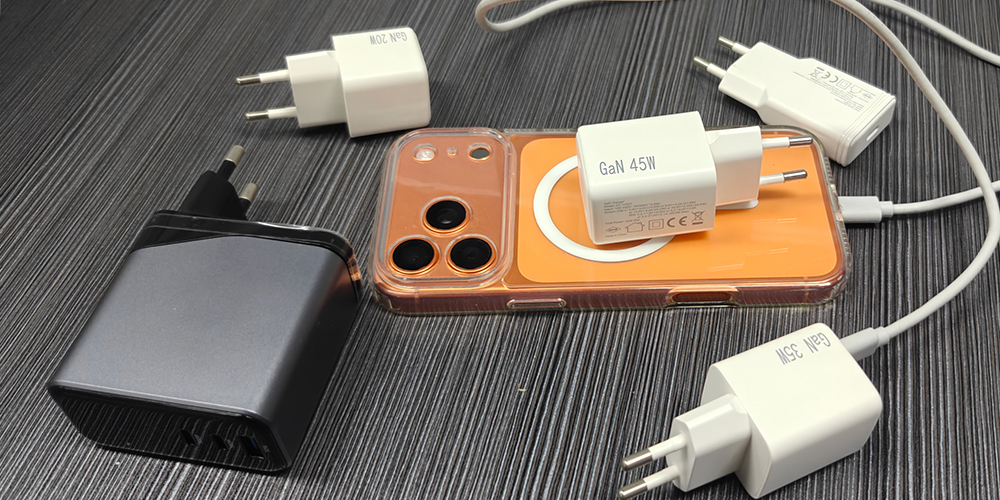
🔥 10 Easy Ways to Prevent Phone Overheating While Charging
1. Use a Certified Fast Charger
Not all chargers are created equal.
Cheap or uncertified chargers often:
• deliver unstable voltage
• generate excess heat
• damage battery health
👉 Always choose chargers with proper certifications (CE, FCC, etc.)
2. Avoid Using Your Phone While Charging
Watching videos, gaming, or scrolling social media while charging:
• increases CPU usage
• adds extra heat
👉 This is one of the fastest ways to overheat your device.
3. Remove Your Phone Case
Phone cases trap heat—especially thick or rubber ones.
👉 Removing the case improves airflow and cooling.
4. Charge in a Cool Environment
Charging your phone:
• under a pillow ❌
• in a hot car ❌
• in direct sunlight ❌
👉 These dramatically increase overheating risk.
5. Use High-Quality USB-C Cables
Low-quality cables create resistance, which generates heat.
👉 A good cable ensures stable current flow and efficient charging.
6. Avoid Overcharging Overnight
Modern phones manage charging well—but heat can still build up over long periods.
👉 Unplug when fully charged if possible.
7. Close Background Apps
Apps running in the background consume power.
👉 More power usage = more heat during charging.
8. Use GaN Fast Chargers for Better Efficiency
Modern GaN chargers are designed to:
• reduce heat generation
• improve energy efficiency
• deliver stable power
Compared to traditional chargers, they operate cooler and more efficiently.
9. Keep Charging Ports Clean
Dust or debris in the port can:
• increase resistance
• create localized heat
👉 Regular cleaning improves performance and safety.
10. Avoid Cheap Power Adapters
Low-cost adapters often lack:
• proper circuit protection
• thermal control
• certification compliance
👉 This is a major cause of overheating issues.
Real-World Insight: Why Charger Quality Matters
Many overheating problems are not caused by the phone—but by the charger.
A reliable charger should:
• regulate voltage properly
• support fast charging protocols (PD / PPS)
• include built-in protection systems

Zonsan Factory Insight
As a professional charger manufacturer, Zonsan focuses on developing high-efficiency GaN fast chargers designed to minimize heat during charging.
By integrating advanced power management and multi-protection systems, Zonsan chargers help ensure:
• stable output
• reduced thermal buildup
• safer long-term usage
When Overheating Becomes Dangerous
Not all heat is normal.
⚠️ Warning signs include:
• phone too hot to touch
• charging stops automatically
• sudden battery drops
• screen dimming or lag
👉 If this happens frequently, your battery or charger may need replacement.
Zonsan Engineering Perspective
Zonsan designs chargers with:
• intelligent temperature control
• overcurrent protection
• optimized charging curves
This reduces overheating risks, especially in high-wattage fast charging scenarios (45W–100W+).
Pro Tip: Fast Charging Doesn’t Have to Mean More Heat
Many users assume:
👉 “Faster charging = more heat”
But with modern technologies like:
• GaN
• PPS
• USB-C PD
👉 Charging can actually be faster AND cooler at the same time.
Conclusion
Phone overheating while charging is common—but not inevitable.
By making smarter choices, you can:
✔ protect your battery
✔ improve charging efficiency
✔ extend device lifespan
👉 The key is simple:
Use better charging habits + better chargers

Yes, slight warmth is normal. However, excessive heat may indicate a problem with the charger, cable, or battery.
Q2: Can overheating damage my phone battery?
Yes. High temperatures accelerate battery degradation and reduce lifespan.
Q3: Do fast chargers cause overheating?
Not necessarily. High-quality fast chargers are designed to manage heat efficiently.
Q4: Is it safe to use my phone while charging?
It is safe for light use, but heavy usage (gaming, video streaming) can cause overheating.
Q5: Why does my phone overheat with certain chargers?
Low-quality chargers may deliver unstable power, causing excess heat.
Q6: Does removing the phone case help?
Yes. It improves airflow and reduces heat buildup.
Q7: Are GaN chargers safer?
Yes. GaN chargers are more efficient and generate less heat than traditional chargers.
Q8: When should I stop charging due to heat?
If your phone becomes too hot to touch or shows overheating warnings, stop charging immediately.