How to Choose the Best USB-C Fast Charger in 2026: A Buyer’s Guide for Brands & Suppliers
1. Understand USB-C PD Protocols
USB-C chargers rely on protocols like:
· USB Power Delivery (PD) 3.1 — for dynamic voltage and current negotiation
· PPS (Programmable Power Supply) — for optimized battery curves
These protocols ensure fast, safe charging for phones, tablets, laptops, and accessories.
2. GaN vs Silicon: Efficiency & Size
GaN technology delivers:
· Smaller form factor
· Higher efficiency (up to ~96%)
· Lower heat output
This makes GaN PD chargers ideal for OEM and private-label products, especially when competing on size and performance.
3. Power Range Matters
Choose a charger based on target devices:
· 20W–30W – phones and compact tablets
· 45W–65W – ultrabooks and mainstream laptops
· 100W+ – high-performance laptops and multi-device hubs
Modern USB-C PD chargers with EPR support can handle up to 240W in compact designs.
4. Multi-Port and Desk Charger Designs
Desk chargers with multiple USB-C and USB-A ports allow simultaneous charging of:
· Phones
· Cameras
· Laptops
· Accessories
This versatility enhances product appeal across consumer and professional markets.
5. Safety & Global Certifications
Ensure chargers meet:
· CE / RoHS / ErP for European compliance
· FCC / ETL / PSE for US and Japan
· KC / KCC / UKCA for Korea and UK markets
Strict certification reduces risk and increases retail acceptance.
Reliable OEM factories such as Zonsan typically integrate certification planning early in product design. This approach helps brands avoid costly compliance delays when launching USB-C PD chargers across Europe, the Middle East, Korea, and North America.
6. OEM Customization & MOQ
Look for manufacturers offering:
· Low MOQ (e.g., 1000 pcs)
· Branding and logo options
· Custom port and power configurations
This enables phased rollout and market testing without overstock risk.
For brands exploring private-label fast chargers, suppliers like Shenzhen Zonsan Innovation Technology Co., Ltd. offer flexible OEM/ODM services — including logo printing, packaging customization, cable bundling, and plug variants (EU/UK/US/KR) — enabling faster market entry.
FAQ – USB-C Fast Charger Buying Guide
Q1: What charger power should I choose for a laptop brand rollout?
Start with 65W – 100W PD chargers to cover most ultrabooks and consumer laptops.
Q2: Do all USB-C chargers need GaN technology?
Not required, but GaN enhances efficiency and reduces heat compared with silicon.
Q3: Are multi-port chargers harder to certify?
No, as long as each output meets safety standards and total power handling is tested.
Q4: Is GaN necessary for a competitive charger product line in 2026?
Not mandatory, but GaN significantly improves size reduction, efficiency, and thermal performance, making products more attractive in premium markets.
Q5: How do I choose between 65W and 100W chargers?
65W covers most ultrabooks and tablets, while 100W suits power-hungry laptops and multi-device charging scenarios.
Q6: Do USB-C chargers work with older USB-A devices?
Yes, if the charger includes USB-A ports or supports legacy fast-charge protocols via compatible cables.
Q7: What certifications are critical for European sales?
CE, RoHS, ERP (energy efficiency), and often CB reports for broader acceptance.
Q8: Can OEM factories customize charging protocols?
Yes. Advanced manufacturers can tune PD/PPS/QC firmware profiles to match specific device compatibility strategies.
Q9: How important is MOQ when selecting a charger supplier?
MOQ affects cash flow and inventory risk. Lower MOQ allows brands to test markets before scaling.
Q10: Why do some chargers heat up more than others?
Differences arise from efficiency levels, PCB layout, component quality, thermal materials, and enclosure design.
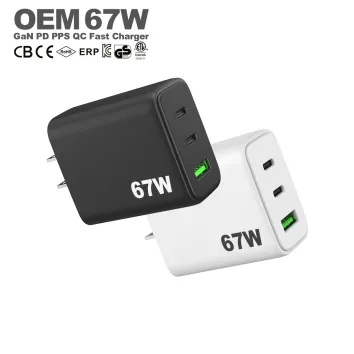
With 3 charging ports, advanced PPS technology, and global safety certifications, it is ideal for home, office, and travel use.
Read More
Read More
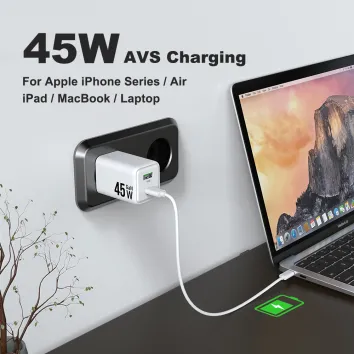
With 3 charging ports, advanced PPS technology, and global safety certifications, it is ideal for home, office, and travel use.
Read More