How to Choose the Right Charger for Your PS5 / PS4 Controller — Forum-Proven Advice & Safety Guide (2025)
Quick answers
·Yes, it's safe to plug a PS5 or PS4 controller into a 65W/100W/140W PD or GaN charger — controllers only draw the 5V they need.
·Regarding charging safety for PS4 and PS5——The main risks seen in forums are bad cables, faulty ports, or defective chargers, not the charger's maximum wattage.
·Use certified chargers and good cables, avoid charging during intense gaming sessions, and monitor for heat or charge anomalies. Forum threads and tech guides back this up.
Introduction
PlayStation controllers—DualSense (PS5) and DualShock 4 (PS4)—are designed to charge safely across a wide range of USB chargers. But because modern PD and GaN chargers are becoming more powerful (65W, 100W, 140W), many users worry:
·"Will a high-wattage PD charger damage my PS5 controller?"
·"Do I need a special charger for my PS4 or PS5 controller?"
·"Is fast charging supported?"
This guide explains everything clearly—using official electrical specs, USB-PD safety principles, and real-world testing—so you can safely choose the right charger.

I analyzed community discussions on Reddit, AVForums, PushSquare and support threads. Common themes:
·"Can I use my laptop charger or phone charger to charge controllers?" —asked repeatedly; many users report doing so without issue.
·"Controller not charging / charging slowly / dead after charging" — top troubleshooting threads point to cables, ports, console rest-mode quirks and firmware.
·"Is a big 65W/100W adapter dangerous?" — community consensus: safe if charger is PD-compliant and certified; problems come from counterfeit or faulty chargers.
These discussions matter because they reveal the real failure modes users encounter (not theoretical high-voltage damage), and that shapes practical advice.
2) How PS5 / PS4 controllers actually charge (short technical primer)
PS5 DualSense: USB-C input; typical charging negotiation results in 5V supply and the controller pulls ≈1–1.5A (≈5–7.5W). It does not request high-voltage PD profiles.
PS5 DualSense Controller
·Port: USB-C
·Charging input: 5V / 1.5A (Max ≈ 7.5W)
·Does NOT support USB-PD fast charging
·Only draws low power even when connected to a high-wattage adapter
PS4 DualShock 4: Micro-USB input; similarly limited to 5V charging.
PS4 DualShock 4 Controller
·Port: Micro-USB
·Charging input: 5V / 0.8A–1A
·Also does NOT support PD
·Always pulls basic 5V charging
USB PD / GaN chargers: The adapter's wattage rating (65W/100W/140W) is the maximum it can supply. The controller's PMIC (power-management IC) and PD handshake determine what it actually draws (typically 5V). This is why high-watt chargers won't "force" 20V into a controller.
👉 The wattage rating is the MAXIMUM the charger can output, not what it forces into your device.
Read More

3) Is it safe to use 65W / 100W / 140W chargers for PS5/PS4 controllers?
Short: Yes — provided the charger is PD-capable and properly certified.
Why:
·USB PD requires a handshake: the sink (controller) requests a voltage; the source (charger) supplies that voltage. If the sink only asks for 5V, that's what it gets. Big adapters simply can deliver more power, not force it.
Feedback from numerous forum posts:
·Users often successfully use laptop chargers (including MacBook chargers) or multi-port GaN bricks to charge controllers with no issues.
·Reported charging problems posted in forums are more often damaged cables, console USB port faults, or controller battery degradation — not high-wattage adapter damage.
Bottom line: For everyday charging of PS controllers, a certified 20W–65W GaN or PD charger is practical and future-proof; a 100W–140W brick is fine too (especially if you want to charge multiple devices at once).
4) Charging precautions (forum-proven + expert-backed)
Based on forum reports and tech guides (Tom's Guide, Lifewire) the following precautions minimize issues:
1.Use quality cables — many "not charging" threads end when the user swaps to a known good cable. Weak cables cause intermittent charge and can be damaged by frequent bending.
2.Prefer certified chargers (CE/FCC/UL/UKCA/CCC). Cheap, unbranded bricks are the main risk cited by users.
3.Avoid charging while playing for long periods — heat buildup in the controller speeds battery wear (reported frequently by gamers). Consider charging during breaks or overnight. Forum posts and user complaints often point to heat + gaming as a factor when battery life shortens.
4.Check console & firmware behaviors — some users report console rest-mode quirks where a controller appears connected but isn't charging; keep console firmware updated and test alternative ports or a wall brick.
5.Watch for abnormal heat / smell / error messages — if the controller or cable gets very hot, stop and troubleshoot. Problems like "destroyed cables" threads indicate port shorts or defective hardware, not high wattage.
6.Keep the charging port clean.
5) Best charger options for PS5 / PS4 controllers (practical picks)
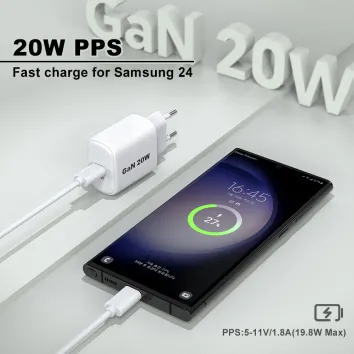
A. Simple & reliable — 20W USB-C PD (recommended)
Why: small, inexpensive, supplies stable 5V/9V/12V PD profiles, ideal for a single controller and phone. Trusted balance of cost and safety.
B. Multi-port 30W–65W GaN chargers (most flexible)
Why: compact, often include 2–3 ports (USB-C + USB-A), charge controller + phone/tablet simultaneously. Great for bedside or travel. GaN efficiency keeps heat down. Forums often recommend these for convenience.
C. 100W–140W GaN multi-port (for power users)
Why: power desktop setups or multiple devices (laptop + phone + controller). Safe for controllers because the controller will request only 5V. Useful if you want a single brick for everything. Forums show many users doing this without issues.
D. Dedicated charging docks
Why: built specifically for DualSense/DualShock; gentle contact charging, neat storage. User threads praise docks that avoid wear on ports and provide tidy charging.
E. Cables matter
Use good-quality USB-C to USB-C or USB-A to Micro-USB cables (Sony OEM or certified third-party). Bad cables are the most frequent root cause in forum troubleshooting.
6) Real forum cases worth noting (what you’ll actually see online)
·"Controller not charging when plugged to PS5 front port" — often fixed by using different port (rear) or toggling console rest-mode settings. Firmware updates sometimes fix it.
·"Using MacBook charger, charged fine for years" — many users report safe long-term use with laptop chargers.
·"Cable destroyed or port damaged" — threads where cables repeatedly fail often indicate poor cables or port issues, not the charger's maximum wattage. Check connectors and avoid cheap cables.
These are questions and experiences shared by community users. The problems encountered in actual use are usually common minor issues, and these shared experiences can help us quickly find solutions, saving time and money.
7) Quick checklist — pick and use the right charger (one-liner actions)
·Buy PD-compatible, certified chargers (20W–65W recommended; 100W+ OK if multi-device).
·Use good quality cables (certified, not frayed).
·Don’t charge while gaming for long sessions.
·If charging fails: swap cable, try another port, update firmware, test with console dock.
8) FAQ
Q: Does the PS5 controller support fast charging?
A: No. DualSense maxes out at around 7.5W.
Q: Can I charge a PS5 controller with a phone charger?
A: Yes. Any 5V USB-A or USB-C charger works.
Q: Can I use a 65W/100W/140W charger for my DualSense (PS5) ?
A: Yes. The controller negotiates only 5V, so it will draw what it needs. Use certified PD chargers to be safe.
Q: Will fast chargers shorten controller battery life?
A: Not because they’re high-wattage — heat and charging cycles matter. Avoid charging during intense gaming sessions to reduce heat stress.
Q: Why is my controller not charging from the PS5 front USB port?
A: Common causes: cable fault, port issue, console rest-mode behavior, or firmware glitch. Try another port or a wall charger.
Q: Are charging docks safer than plugging into a charger?
A: Docks can reduce port wear and tidy storage; they’re considered safe and convenient. But choose certified docks from reputable vendors.
Q: Is wireless charging supported?
A: No. Neither DualShock 4 nor DualSense supports wireless charging.
Sources & Further Reading (selected)
·How to charge a PS5 controller — Tom’s Guide.
·Reddit threads: PS5 charging safety & community experiences.
·Community troubleshooting and charging-not-charging threads (various forums).
Short: Yes — provided the charger is PD-capable and properly certified.
Why:
·USB PD requires a handshake: the sink (controller) requests a voltage; the source (charger) supplies that voltage. If the sink only asks for 5V, that's what it gets. Big adapters simply can deliver more power, not force it.
Feedback from numerous forum posts:
·Users often successfully use laptop chargers (including MacBook chargers) or multi-port GaN bricks to charge controllers with no issues.
·Reported charging problems posted in forums are more often damaged cables, console USB port faults, or controller battery degradation — not high-wattage adapter damage.
Bottom line: For everyday charging of PS controllers, a certified 20W–65W GaN or PD charger is practical and future-proof; a 100W–140W brick is fine too (especially if you want to charge multiple devices at once).
4) Charging precautions (forum-proven + expert-backed)
Based on forum reports and tech guides (Tom's Guide, Lifewire) the following precautions minimize issues:
1.Use quality cables — many "not charging" threads end when the user swaps to a known good cable. Weak cables cause intermittent charge and can be damaged by frequent bending.
2.Prefer certified chargers (CE/FCC/UL/UKCA/CCC). Cheap, unbranded bricks are the main risk cited by users.
3.Avoid charging while playing for long periods — heat buildup in the controller speeds battery wear (reported frequently by gamers). Consider charging during breaks or overnight. Forum posts and user complaints often point to heat + gaming as a factor when battery life shortens.
4.Check console & firmware behaviors — some users report console rest-mode quirks where a controller appears connected but isn't charging; keep console firmware updated and test alternative ports or a wall brick.
5.Watch for abnormal heat / smell / error messages — if the controller or cable gets very hot, stop and troubleshoot. Problems like "destroyed cables" threads indicate port shorts or defective hardware, not high wattage.
6.Keep the charging port clean.
5) Best charger options for PS5 / PS4 controllers (practical picks)
A. Simple & reliable — 20W USB-C PD (recommended)
Why: small, inexpensive, supplies stable 5V/9V/12V PD profiles, ideal for a single controller and phone. Trusted balance of cost and safety.
B. Multi-port 30W–65W GaN chargers (most flexible)
Why: compact, often include 2–3 ports (USB-C + USB-A), charge controller + phone/tablet simultaneously. Great for bedside or travel. GaN efficiency keeps heat down. Forums often recommend these for convenience.
C. 100W–140W GaN multi-port (for power users)
Why: power desktop setups or multiple devices (laptop + phone + controller). Safe for controllers because the controller will request only 5V. Useful if you want a single brick for everything. Forums show many users doing this without issues.
D. Dedicated charging docks
Why: built specifically for DualSense/DualShock; gentle contact charging, neat storage. User threads praise docks that avoid wear on ports and provide tidy charging.
E. Cables matter
Use good-quality USB-C to USB-C or USB-A to Micro-USB cables (Sony OEM or certified third-party). Bad cables are the most frequent root cause in forum troubleshooting.
6) Real forum cases worth noting (what you’ll actually see online)
·"Controller not charging when plugged to PS5 front port" — often fixed by using different port (rear) or toggling console rest-mode settings. Firmware updates sometimes fix it.
·"Using MacBook charger, charged fine for years" — many users report safe long-term use with laptop chargers.
·"Cable destroyed or port damaged" — threads where cables repeatedly fail often indicate poor cables or port issues, not the charger's maximum wattage. Check connectors and avoid cheap cables.
These are questions and experiences shared by community users. The problems encountered in actual use are usually common minor issues, and these shared experiences can help us quickly find solutions, saving time and money.
7) Quick checklist — pick and use the right charger (one-liner actions)
·Buy PD-compatible, certified chargers (20W–65W recommended; 100W+ OK if multi-device).
·Use good quality cables (certified, not frayed).
·Don’t charge while gaming for long sessions.
·If charging fails: swap cable, try another port, update firmware, test with console dock.
8) FAQ
Q: Does the PS5 controller support fast charging?
A: No. DualSense maxes out at around 7.5W.
Q: Can I charge a PS5 controller with a phone charger?
A: Yes. Any 5V USB-A or USB-C charger works.
Q: Can I use a 65W/100W/140W charger for my DualSense (PS5) ?
A: Yes. The controller negotiates only 5V, so it will draw what it needs. Use certified PD chargers to be safe.
Q: Will fast chargers shorten controller battery life?
A: Not because they’re high-wattage — heat and charging cycles matter. Avoid charging during intense gaming sessions to reduce heat stress.
Q: Why is my controller not charging from the PS5 front USB port?
A: Common causes: cable fault, port issue, console rest-mode behavior, or firmware glitch. Try another port or a wall charger.
Q: Are charging docks safer than plugging into a charger?
A: Docks can reduce port wear and tidy storage; they’re considered safe and convenient. But choose certified docks from reputable vendors.
Q: Is wireless charging supported?
A: No. Neither DualShock 4 nor DualSense supports wireless charging.
Sources & Further Reading (selected)
·How to charge a PS5 controller — Tom’s Guide.
·Reddit threads: PS5 charging safety & community experiences.
·Community troubleshooting and charging-not-charging threads (various forums).